DLLM · Local desktop chat UI and Python application stack
Build a local chat application for your workflow.
Start with a desktop chat interface, a Python application base, and a reusable template. Add your own commands and LLM-powered features with your preferred coding agent.
To install DLLM Desktop with the Codex setup skill, start a new chat in Codex and paste this prompt:
Once DLLM Desktop is running, create your first application with the Getting Started guide.
Continue to Getting StartedUnderstand the stack
What is DLLM?
DLLM gives staff with developer skills and individual builders a local desktop shell for personal workflow automations. Its chat UI does not provide intelligence: your registered application does. Start from a reusable application structure, use basic LLM development helpers where you need them, and extend the project with your preferred coding agent.
- DLLM Desktop provides one local chat UI for your registered applications; it sends messages and commands, but does not decide how the application responds.Explore DLLM Desktop →
- dronelabour-dllm lets you manage LLM requests in files and call them by prompt name and parameters from Python. Use
dllm.connectorto switch between provider-specific prompts for the same task and compose calls into pipelines.Explore the Python API → - App Hub keeps registered applications up to date and running.
- chattemplate is the starting project for a conversational application managed by DLLM Desktop. Built on
dllm.chatappindronelabour-dllm, it provides the application base you can extend with your own commands and message-handling behaviour.Explore ChatTemplate →
Your first working application
From a starter template to your own chat command.
Follow the Japanese Coach tutorial to create a local application from ChatTemplate. Ask Codex to add a server-time command, review and push the change, then restart the application and see it reply in DLLM Desktop.
This first command teaches the development cycle you can reuse as you build your own personal workflow automation.
Build your first DLLM application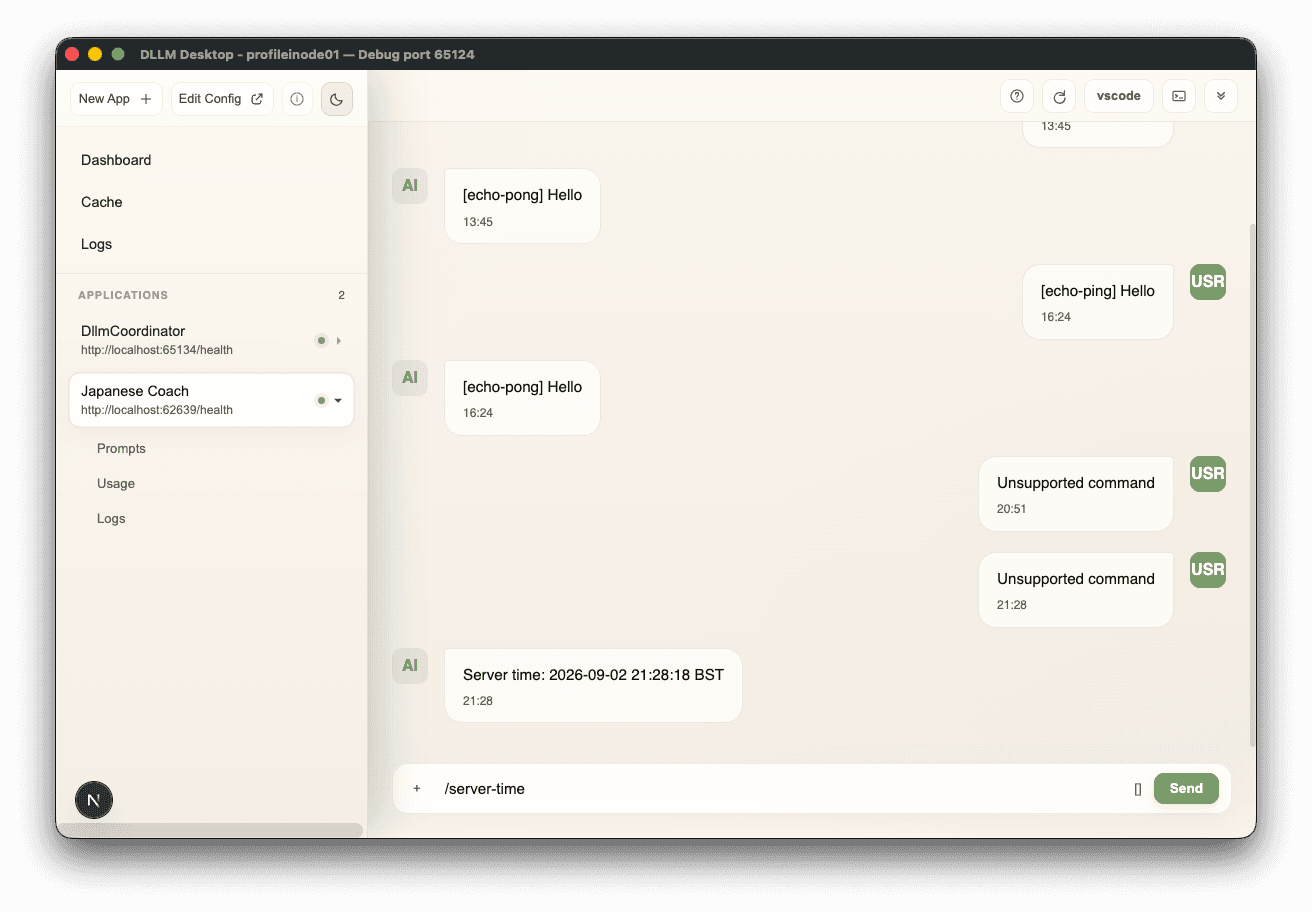
Install manually
Prefer to set up DLLM Desktop yourself? Follow these manual installation steps as an alternative to the Codex setup skill.
Download and install DLLM Desktop
Start DLLM Desktop
Create your first application
Click New App +, choose
chattemplate, and enter your application's name, description, and Git repository URL.Extend the application for your workflow
Follow the Japanese Coach tutorial to add a command with your coding agent, then commit, push, and restart the application in DLLM Desktop.
Continue to Getting Started